What you will be able to do afterwards
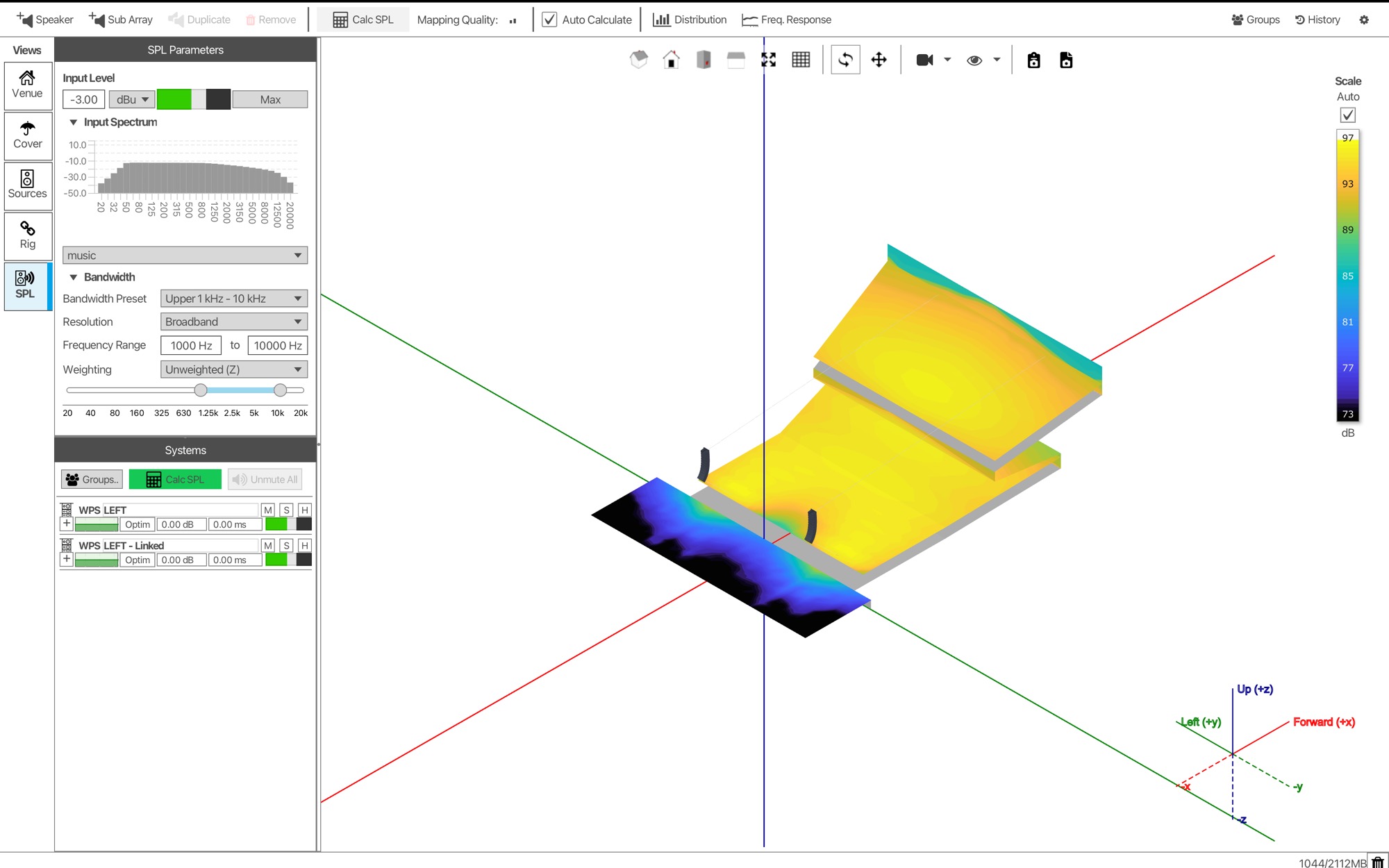
Everything is shown in one continuous project, so you can follow along in DISPLAY 3 or watch first and repeat it later.
Find your way round DISPLAY 3
The Source panel, the main window and the five tabs a design moves through: Venue, Cover, Sources, Rig and SPL.
Draw a native venue
Build a ten-surface theatre with stage, pit, raked stalls and an overhanging balcony, then set layers and coverage.
Optimise a line array and calculate SPL
Insert WPS, solve the splay, build a preset with Solve EQ, mirror it with a symmetry plane and check the rigging.
What we will cover
One project, start to finish, in the order you would work in DISPLAY 3.
The workspace
Five ways into a project, the main window, settings that matter, and the five tabs.
Building the venue
Place, shape and name ten quad faces, then organise them into layers.
Coverage
Audience, Avoid and Don't Care, by layer and by surface, at seated ear height.
WPS and the "before" map
A left and right pair of WPS, and what an unoptimised hang does to this room.
The slice and Solve Splay
Trace the room, set coverage, then compare 8, 10 and 12 boxes.
Solve EQ and snapshots
One-point lift, a reference at the mix position, three target profiles and VU-NET export.
Symmetry and results
A linked partner hang, the "after" map, and the rigging and safety checks.
Your questions
15 minutes of live Q&A with Paul.
Who it is for
No previous DISPLAY experience is needed. If you have used DISPLAY 2, you will see where that workflow now lives.
System designers and consultants
Predict coverage and level in a venue before a single box is flown.
Integrators and installers
Go from room drawing to an optimised preset and rigging documents in one place.
Production and rental engineers
Learn the native optimisation workflow you will use on every Martin Audio line array.
Register for Session 1
Session 1 runs twice on Tuesday 27 October, with the same content in both. Choose the time that suits you. You will get your joining link by email after registering.
Session 1 opens the DISPLAY 3 webinar series. Later sessions go deeper, including front fills and rigging.
Each time has its own registration page. Register for the one you will attend.